
Running Locally
Running from source gives you the Dev channel: the app on your own machine, rebuilt as you edit. This is for contributors and anyone who wants the very latest code. If you just want to use Spellsplice, open Stable or Beta instead - no install required.
Requirements
Section titled “Requirements”| Tool | Version | Notes |
|---|---|---|
| Node.js | 24 (see .nvmrc) |
Use nvm to match it exactly. |
| Git | any recent | To clone the repository. |
| Chromium browser | Chrome or Edge | Video export needs WebCodecs + File System Access; other browsers run the app but cannot export. |
| Python 3 | 3.x | Optional. Only needed for the Live Mode relay (see below). |
Clone the repository and enter it:
git clone https://github.com/rafael-graunke/spellsplice.gitcd spellspliceSelect the Node version pinned in .nvmrc, then install dependencies:
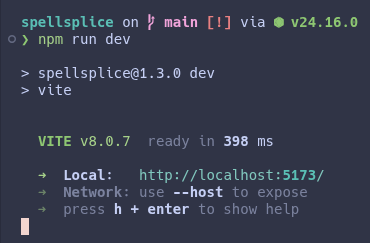
nvm use # reads .nvmrc -> Node 24npm installStart the dev server:
npm run devVite prints a local URL (default http://localhost:5173). Open it in Chrome or
Edge.
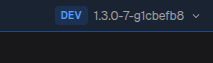
The app’s top bar shows the Dev badge, confirming you are on a local build.
Other commands
Section titled “Other commands”npm run build # type-check + production build into dist/npm run preview # serve the production build locallynpm run lint # run ESLintLive Mode relay (optional)
Section titled “Live Mode relay (optional)”Live Mode drives the OBS overlay over a WebSocket through a small local relay,
public/spellsplice-relay.py. You only need it if you are testing Live Mode
broadcasting. Run it with Python 3:
python public/spellsplice-relay.pyThen point the relay URL in the app’s Live Mode connection settings at it. See Broadcasting to OBS for the full flow.