
Live Mode
Live Mode is the real-time half of Spellsplice. It turns a plain match feed into a broadcast: a scoreboard with names, decks, life totals and match score, each player’s hand laid out along the edge of the frame, and cards popping up full size as they are played. Viewers get the information they would otherwise have to guess at, and you get it without touching a video editor.
Here is what that looks like on stream:
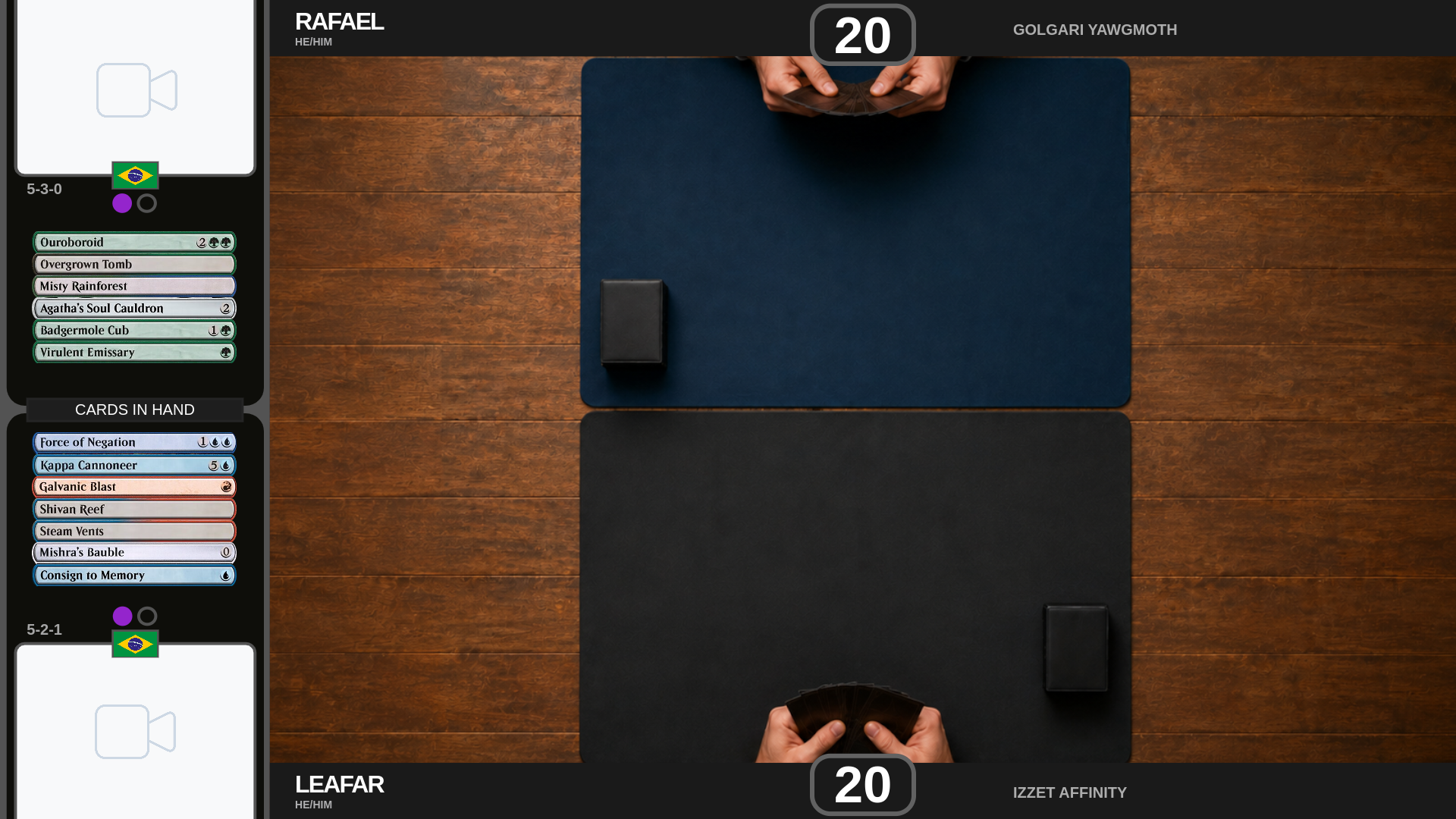
The overlay is a transparent page OBS composites straight over your camera or capture, no chroma key and no cropping, see Broadcasting to OBS.
You drive it from a controller screen as the match plays out: life totals, wins, cards in hand, cards on screen. Everything you do is pushed to the overlay instantly.
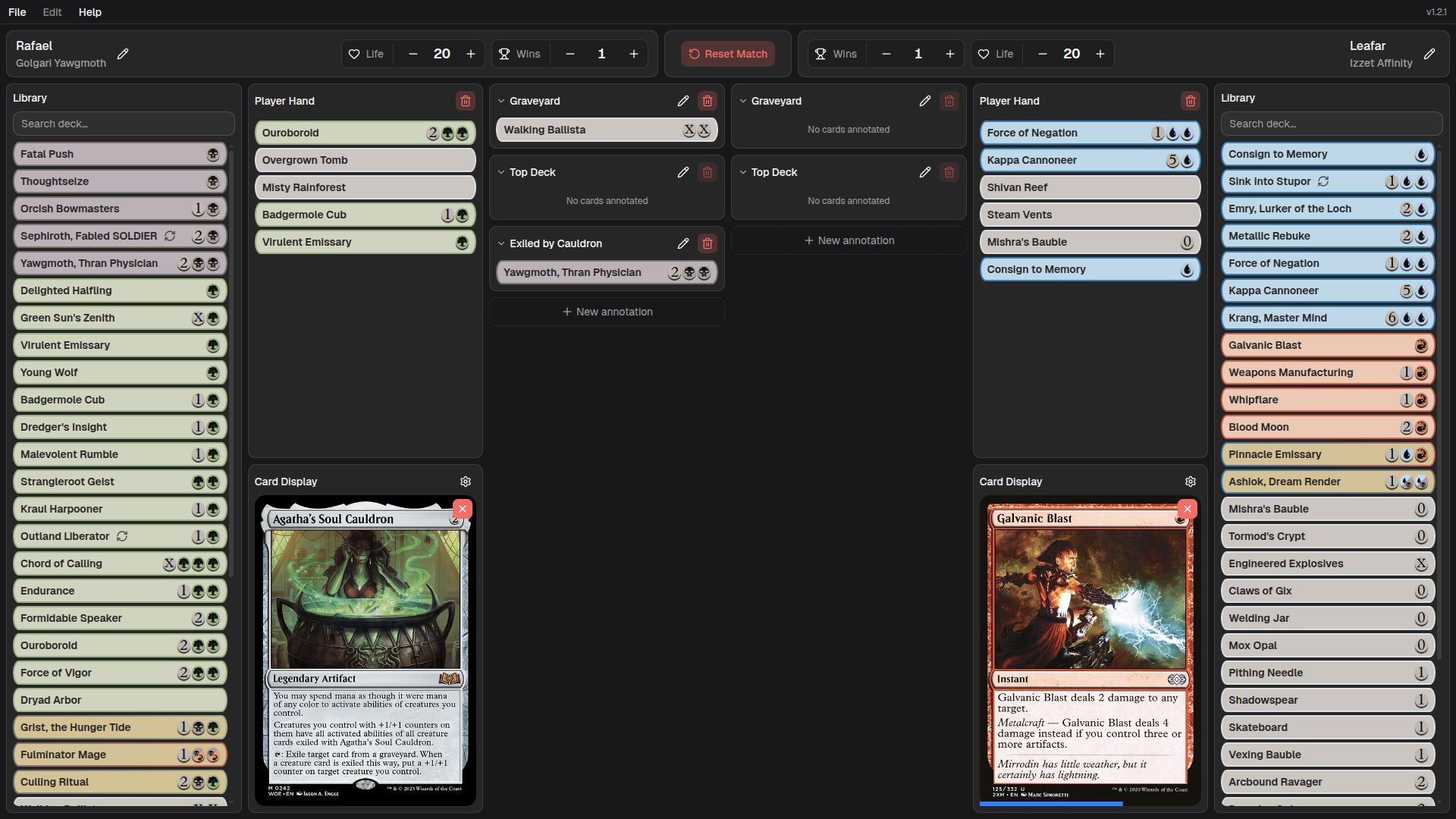
The screen is mirrored, one column of panels per player, with match-wide controls in the middle. Each panel has its own page:
- Player Panel — name, deck, life, wins.
- Match Controls — resetting between matches.
- Library — the decklist, and importing it.
- Player Hand — what the hand stack overlay shows.
- Card Display — putting a card on screen.
- Annotations — Graveyard, Top Deck, and your own.
The overlay’s look (positions, scoreboard graphic, animations) is set up separately, see Overlay Configuration. To get the overlay onto your stream, see Broadcasting to OBS.
Moving cards around
Section titled “Moving cards around”Almost everything in Live Mode is drag and drop. Cards live in three places (the library, the hand, and annotations) and you drag them between those, or onto the card display.
One rule covers all of it: the library is a permanent source, so dragging out of it copies the card. Dragging out of a hand or an annotation moves the card, it leaves where it came from.