
Card Display
Card Display is the large card that pops onto the frame when you reveal or display a card. Configure it in the Card Display section. Each player is set up separately, under Left Player and Right Player.
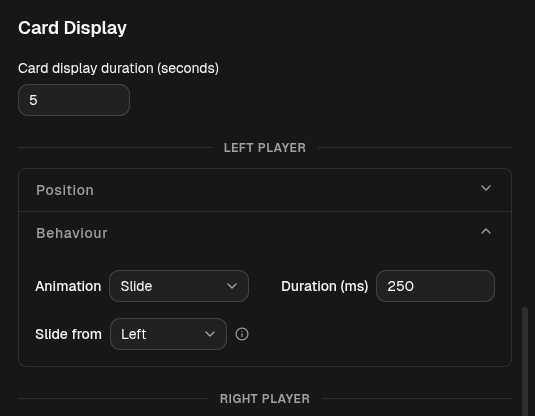
How long it stays
Section titled “How long it stays”At the top of the section, Card display duration (seconds) sets how long a displayed card stays on screen before it auto-hides.
Position
Section titled “Position”- Anchor and Offset (px) place the popup on the frame. See Anchors & Offsets.
Behaviour
Section titled “Behaviour”- Animation — how the card enters: Fade or Slide.
- Duration (ms) — how long that entrance animation takes. (This is separate from the display duration above, which is how long the card lingers.)
- Slide from — only shown for Slide: the edge the card slides in from (Left, Right, Top, or Bottom). This is independent of the anchor.
Config reference (JSON)
{ "anchor": "top-left", "offset": { "x": 8, "y": 24 }, "animation": { "type": "fade", "duration": 250, "direction": "left" }}animation.type—fadeorslide.animation.duration— entrance time in ms (default250).animation.direction—left,right,top, orbottom(only affectsslide).cardDisplayDuration— a top-level field (default5000ms): how long the card stays before auto-hiding.