
Hand Stack
The hand stack shows a player’s cards in hand as a stack of card title strips. Configure it in the Hand Stack section. Each player is set up separately, under Left Player and Right Player.
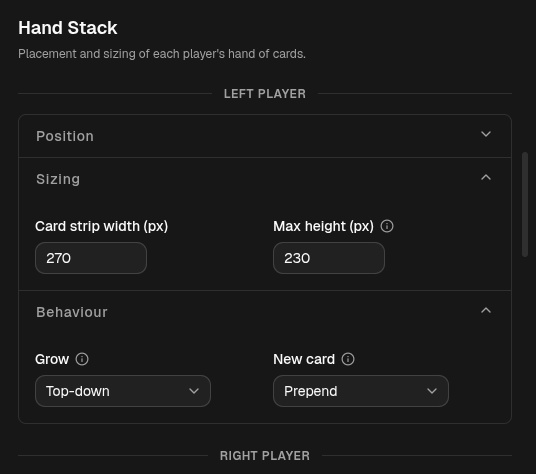
Position
Section titled “Position”- Anchor and Offset (px) place the stack on the frame. See Anchors & Offsets.
Sizing
Section titled “Sizing”- Card strip width (px) — how wide each card strip is drawn.
- Max height (px) — caps the stack’s height. When the hand is taller than
the cap, the cards nearest the anchor stay and the rest collapse into a
+N pill at the growing edge. Set it to
0for no cap (show every card).
Behaviour
Section titled “Behaviour”- Grow — the direction the stack extends from its anchor as cards are added: Top-down, Bottom-up, or Center. This also decides which end holds the newest card and where the +N overflow pill sits.
- New card — where a freshly added card lands: Append (at the far end) or Prepend (at the anchor end).
Config reference (JSON)
{ "anchor": "bottom-left", "offset": { "x": 8, "y": -24 }, "cardStripWidth": 340, "growth": "bottom-up", "insert": "append", "maxHeight": 0}cardStripWidth— strip width in pixels (default340).growth—top-down,bottom-up, orcenter(defaultbottom-up).insert—appendorprepend(defaultappend). Optional.maxHeight— pixel cap,0= unlimited (default0). Optional.