
Anchors & Offsets
Every overlay element is placed the same way: pick an anchor (a spot on the frame), then fine-tune with an offset (a small nudge in pixels). Learn it once and it applies to the scoreboard, hand stack, and card display alike.
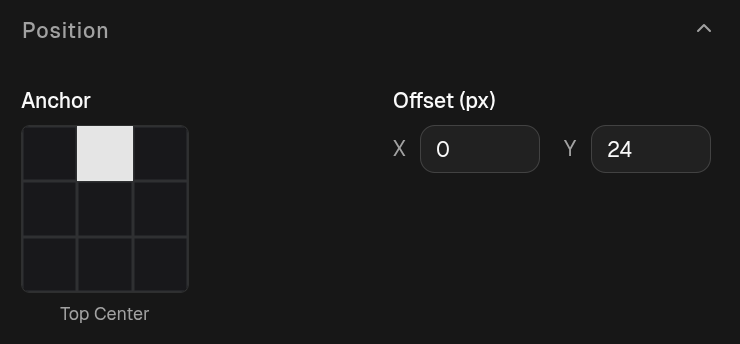
Anchor
Section titled “Anchor”The Anchor control is a grid of buttons, one per position on the frame. Click a cell to pin the element there:
| Top Left | Top Center | Top Right |
| Middle Left | Middle Center | Middle Right |
| Bottom Left | Bottom Center | Bottom Right |
The selected cell is highlighted, and its name shows below the grid.
Offset
Section titled “Offset”The Offset (px) control is two inputs, x and y, measured in screen pixels from the anchor point:
- x — positive moves right, negative moves left.
- y — positive moves down, negative moves up.
So a bottom-left anchor with an offset of x: 8, y: -24 sits just inside the
bottom-left corner. When you pick a new anchor, the offset resets to a sensible
default inset for that anchor (roughly 8px in from the sides, 24px from the top
or bottom), which you can then adjust.
Config reference (JSON)
"anchor": "bottom-left","offset": { "x": 8, "y": -24 },anchor— one oftop-left,top-center,top-right,middle-left,middle-center,middle-right,bottom-left,bottom-center,bottom-right(scoreboard omits themiddle-*row).offset—{ x, y }in pixels;+xright,+ydown.